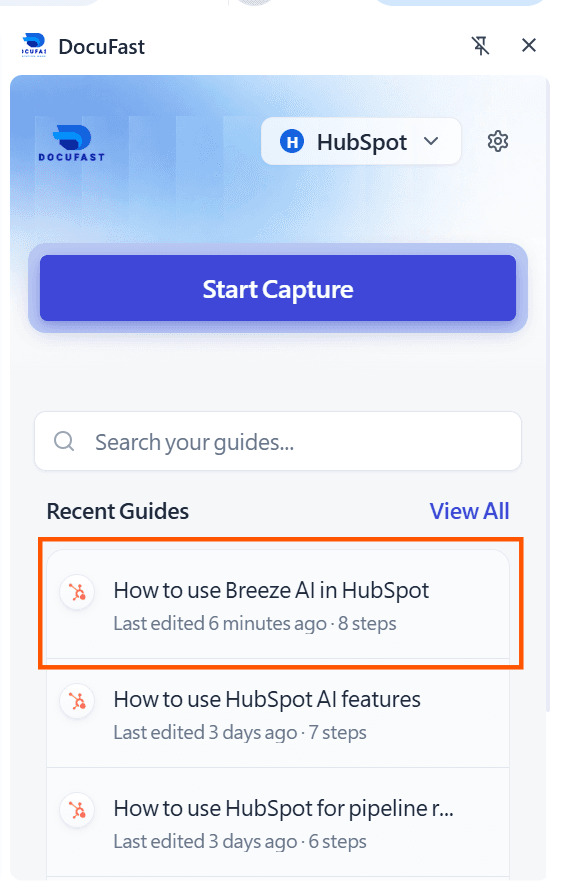
How to Record a Teach Me Guide
Written By:
Last Updated on May 21, 2026
Overview
Recording a Teach Me guide in DocuFast is simple and works the same way as using Capture. Follow these steps to create clear, interactive guides for your team.
Steps
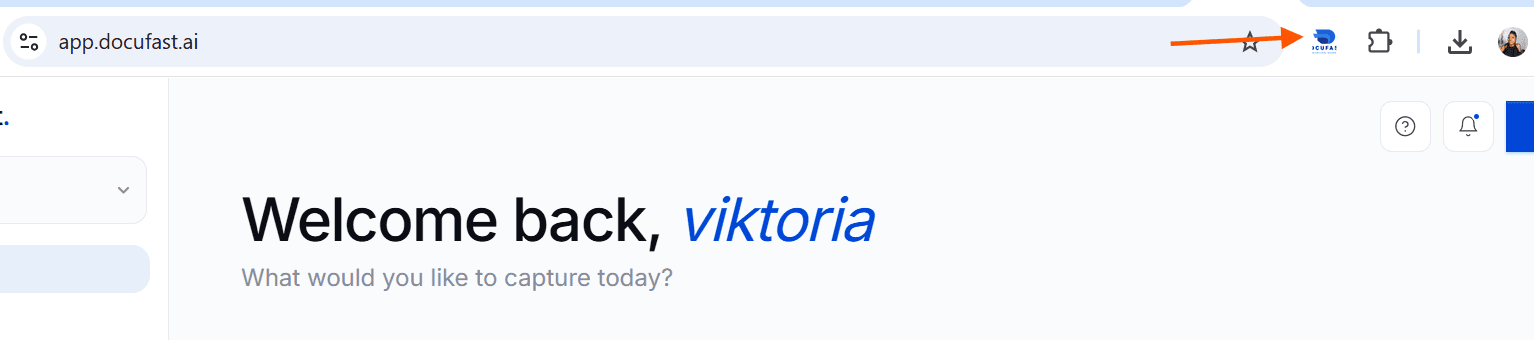
Step 1: Open DocuFast Extension
Click on the DocuFast extension in your browser.
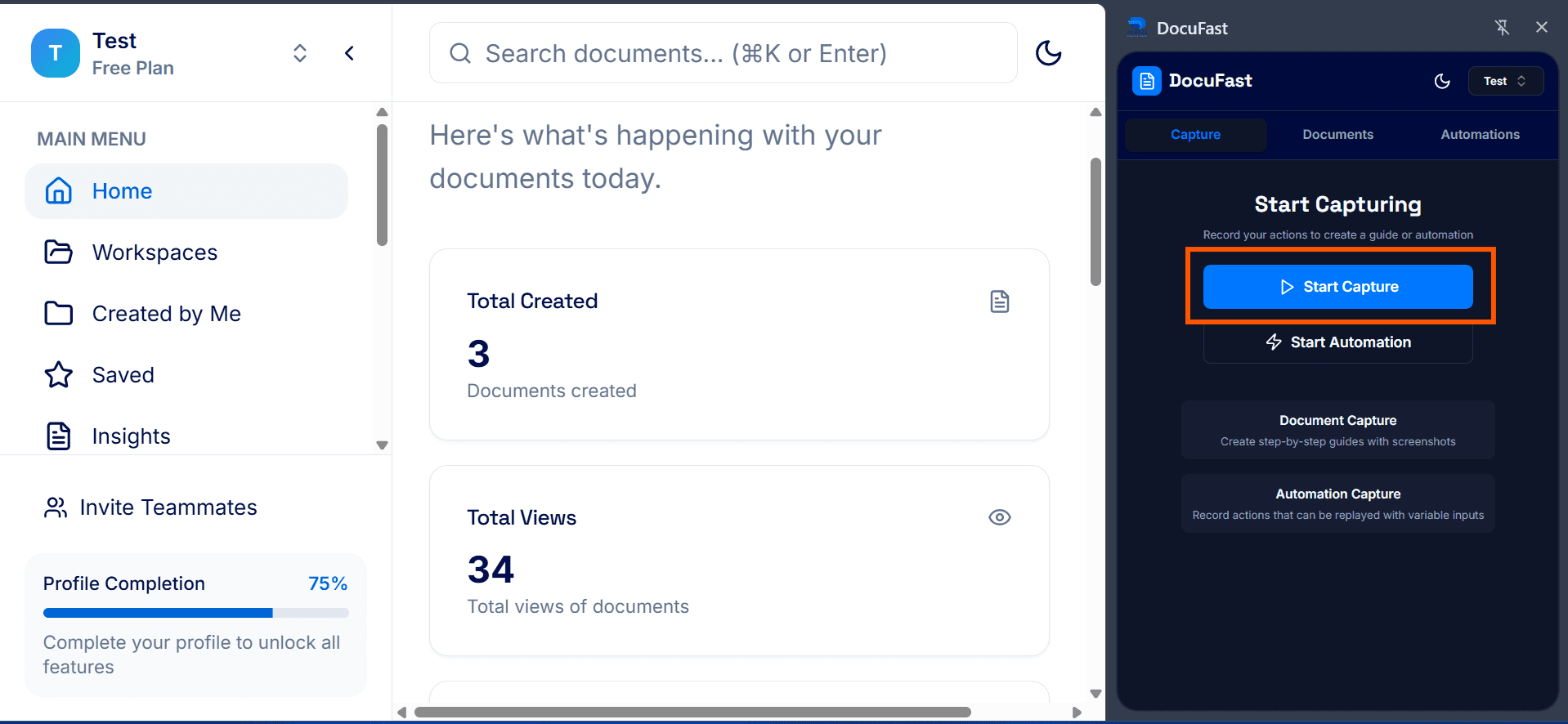
Step 2: Start Capture
Begin recording your workflow. You can pause, resume, or discard at any time if needed.
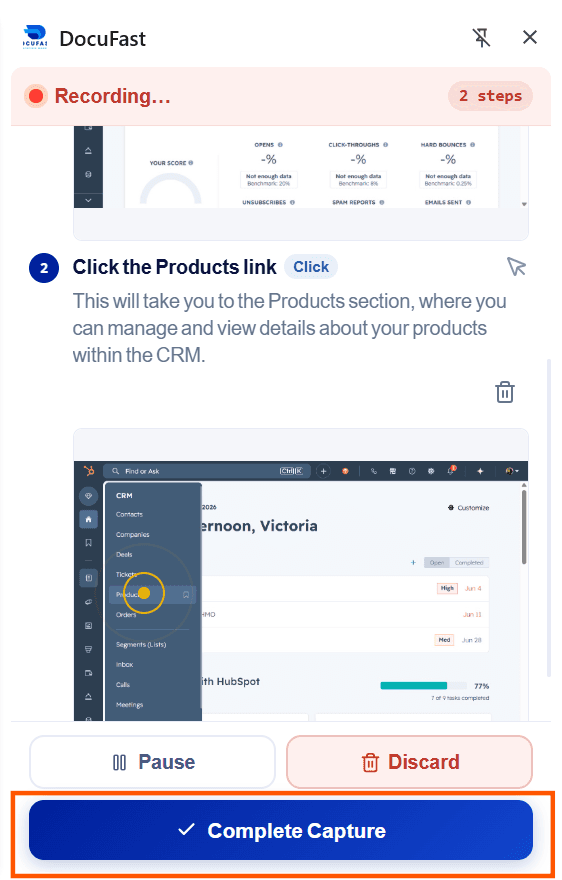
Step 3: Complete Capture
When you’ve finished recording all steps, click Complete Capture.
Step 4: Review Captured Workflow
Review your recording to ensure everything is clear and complete. Check that your instructions match the actions on the screenshot.
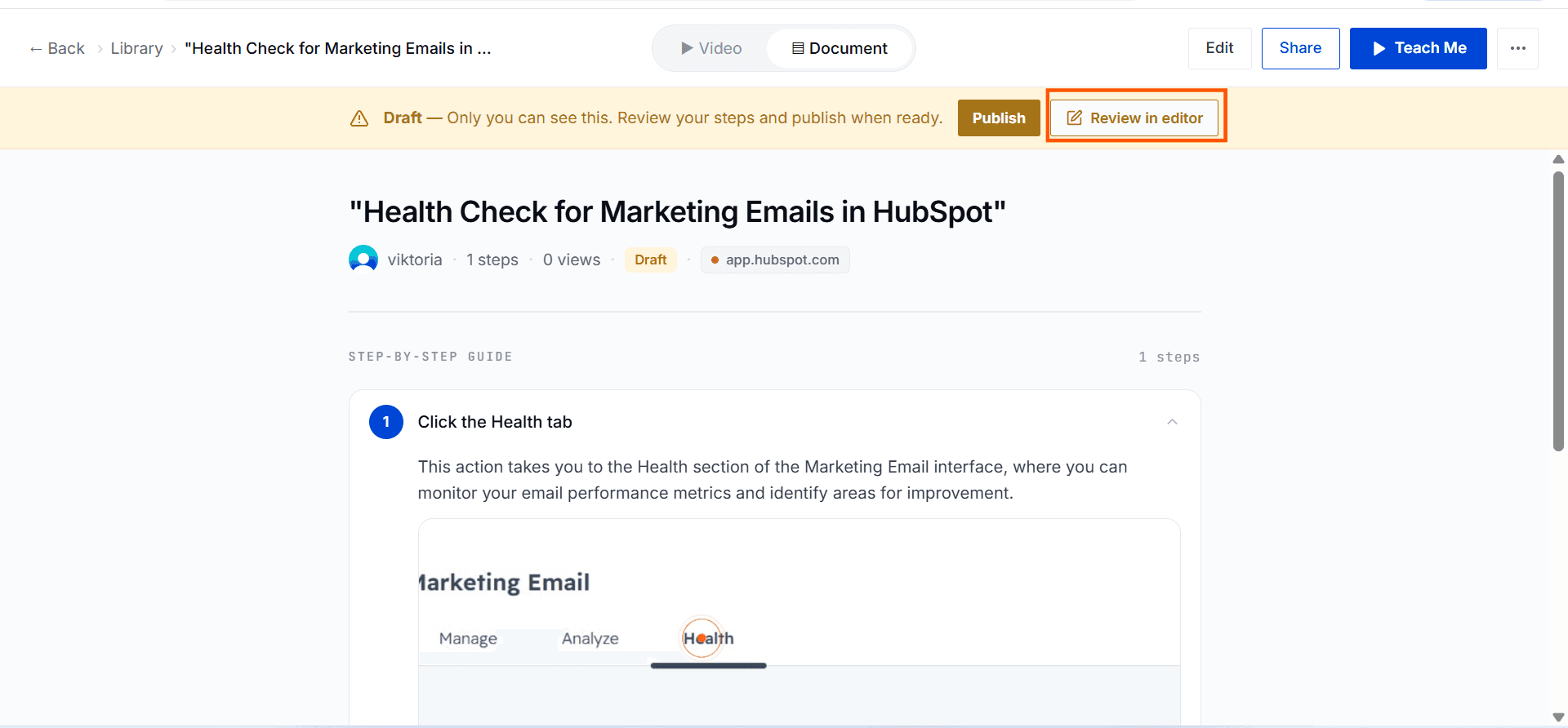
Step 5: View in Teach Me Mode
In the side panel, open the document you just recorded. Click Teach Me to view your guide in interactive mode.